On this page
- How we compare
- 1. Best overall — ecobee Smart Thermostat Premium
- 2. Best app and design — Google Nest Learning Thermostat (4th gen)
- 3. Best mid-range — ecobee Smart Thermostat Enhanced
- 4. Best budget — Amazon Smart Thermostat
- 5. Best for multi-zone homes — Honeywell Home T9
- How to check compatibility before you buy
- Do smart thermostats actually save money?
TL;DR — Buy a smart thermostat for the scheduling and geofencing, not for the touchscreen. Our top pick balances sensor flexibility with an app you will not fight with every winter.
A smart thermostat is one of the few smart home upgrades that reliably pays for itself. The catch: nearly every model claims "up to 23% energy savings," and almost none of those numbers mean anything in a normal house.
These picks are compiled from manufacturer specifications, compatibility documentation and patterns in verified owner reviews — we did not install units for this guide.
How we compare
| Criterion | Weight | Why it matters |
|---|---|---|
| Setup and wiring compatibility | 25% | No C-wire means no thermostat for many homes |
| Temperature sensing | 20% | A sensor off by 2°F defeats the purpose |
| App and scheduling quality | 20% | You touch the app far more than the device |
| Geofencing reliability | 15% | Bad geofencing = cold house, angry household |
| Ecosystem support | 10% | Alexa, Google, HomeKit, Matter |
| Price and payback | 10% | Most units pay back in 1–2 heating seasons |
1. Best overall — ecobee Smart Thermostat Premium
The most complete package: a SmartSensor for a problem room included in the box, broad ecosystem support, and an air-quality monitor built in. Owner reviews consistently praise the scheduling depth.
- Sensors: built-in occupancy + included remote SmartSensor
- Works with: Alexa, Google Assistant, Apple HomeKit, Matter
- C-wire: required; power extender kit included
- Typical price: ≈ $250
Watch out for: extra SmartSensors are sold in pairs and add up — buy only for genuinely problematic rooms.
2. Best app and design — Google Nest Learning Thermostat (4th gen)
The clearest energy reports in the category and schedule learning that owners say genuinely adapts within about a week. Now with Matter and a bundled temperature sensor.
- Sensors: one remote Nest Temperature Sensor included
- Works with: Google Home, Alexa, Matter (no Apple HomeKit)
- Typical price: ≈ $280
3. Best mid-range — ecobee Smart Thermostat Enhanced
Same app and ecosystem as the Premium minus the metal finish and air-quality monitor. The sensible choice if you do not need the extras.
- Sensors: built-in occupancy; remote SmartSensors optional
- Works with: Alexa, Google Assistant, Apple HomeKit, Matter
- Typical price: ≈ $190
4. Best budget — Amazon Smart Thermostat
Everything most households need at a third of the flagship price, built on Honeywell hardware. Alexa only, and it needs a C-wire (or an adapter kit).
- Sensors: none remote; uses Echo speakers for presence
- Works with: Alexa only
- Typical price: ≈ $80
5. Best for multi-zone homes — Honeywell Home T9
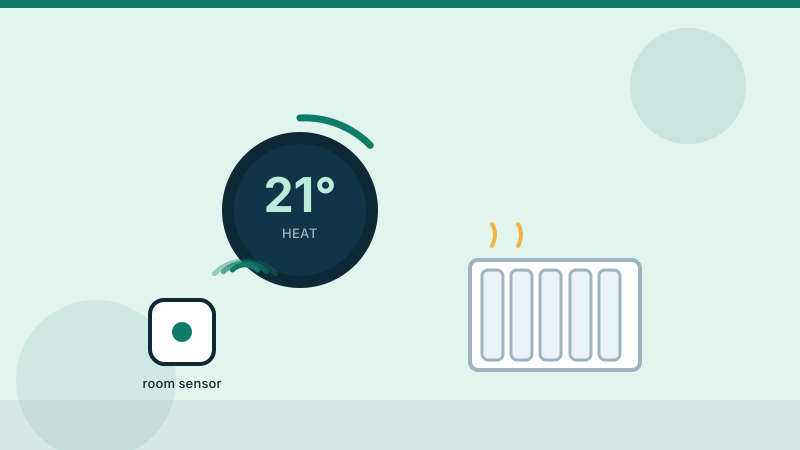
If a second floor never matches the first, the T9's remote room sensors measure both temperature and occupancy, so the system runs for the rooms people are actually in.
- Sensors: one remote room sensor included; supports up to 20
- Works with: Alexa, Google Assistant, Apple HomeKit
- Typical price: ≈ $170
How to check compatibility before you buy
- Pull your current thermostat off the wall and photograph the wiring.
- Look for a C-wire (usually blue or black, labelled "C"). Without it you need a model with a power adapter or a C-wire kit.
- Check your HVAC type — most units handle standard forced air and boilers, but heat pumps and line-voltage baseboards need specific models.
- Confirm your Wi-Fi is 2.4GHz-capable. Several units still cannot join 5GHz networks.
Do smart thermostats actually save money?
Yes, but the honest number is closer to 8–12% on heating and cooling for a typical household that previously used a manual schedule. The savings come from not heating an empty house, not from magic algorithms.
Bottom line:
pick the model whose app you will actually use. A $250 thermostat that gets overridden daily saves nothing.
Editorial note. This guide is compiled from official product documentation and practical buying checklists, not hands-on testing. Verify specifications and current pricing with the manufacturer before you buy. See our affiliate disclosure for how we fund this work.